
How do I use the Orcon spam filter?
The new Orcon SpamTitan is a spam filter that protects your email address from nasty viruses, dubious offers and other kinds of unsolicited mail.
Using SpamTitan
To access and adjust your spam filter settings, log into your webmail at https://webmail.orcon.net.nz
Click on SpamTitan option on the top right-hand corner.
You will be redirected to a page, like the one below, that has a unique Email Address for your SpamTitan.
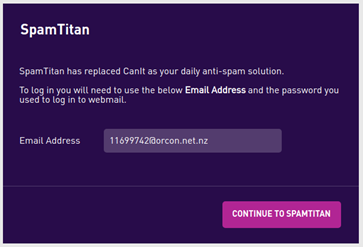
Click on Continue to SpamTitan, enter the email address from the last page and the password you use to login to webmail.
What can I do in SpamTitan?
To find out what you can do, refer to the page How to white-list or block-list an address.
- Log in to the spam filter through your webmail (SpamTitan option on the top right-hand corner)
- Click Filter Rules
- Click on User Block-list or User Whitelist.

In addition to block-listing or whitelisting a sender, you can also block-list or whitelist individual emails caught by the spam filter.
- Click on Quarantine.
- Check the email you wish to Manage.
- Select Release to send the email to your inbox, Whitelist to add the sender to you whitelist or Delete to delete the email.

Please note: There is no limit to the number of emails that can be stored in quarantine, but any emails in there for longer than 21 days will be automatically deleted.